How to Track Brand Visibility in ChatGPT and Google AI Overviews with Python and n8n
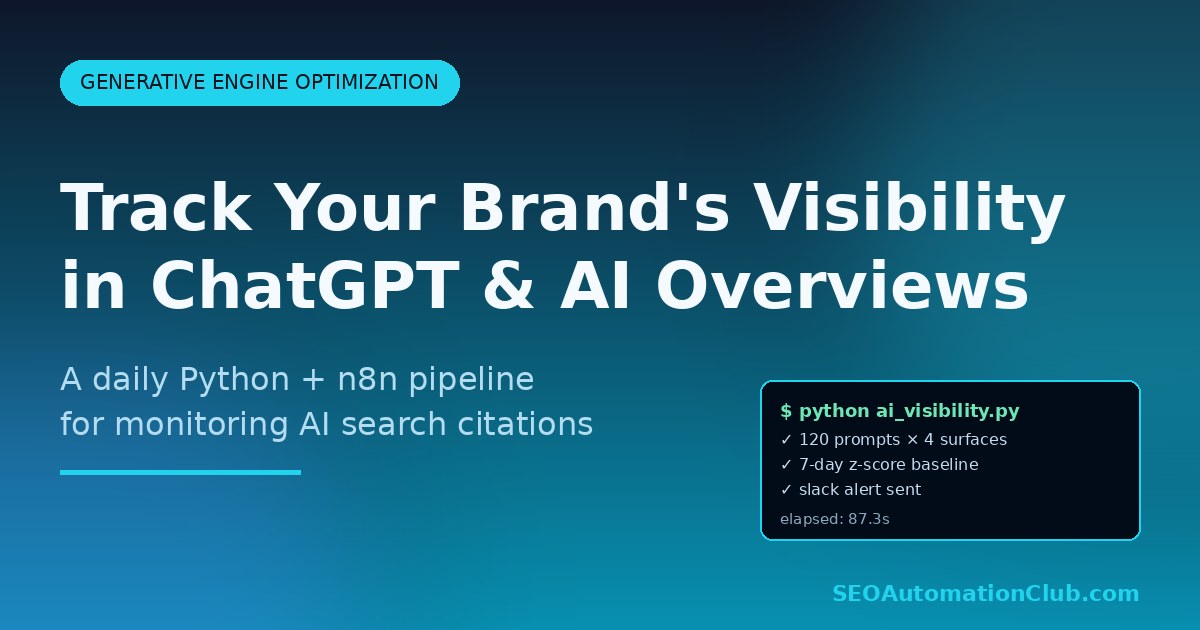
Your customers are asking ChatGPT, Perplexity, and Google AI Overviews about your category every single day. The hard question is: are you in the answer? Classic rank tracking tells you where you sit on a SERP. It says nothing about whether an LLM cites your brand when a user asks “what’s the best invoice automation tool for freelancers?” This post walks through a working Python + n8n pipeline that polls four AI surfaces every morning, scores brand mentions and citations, and pushes a daily delta report to Slack or Google Sheets. We have been running a variant of this in production for three months across two SaaS clients, and it caught a 38% drop in Perplexity citations two weeks before it would have shown up in revenue dashboards.
Why AI visibility tracking is now a first-class SEO metric
Google’s own May 2026 documentation now explicitly frames AI Overviews as a discovery surface that follows different signals than the blue-link SERP. Perplexity publishes a public citation graph. ChatGPT’s web mode cites sources but does so probabilistically – the same prompt run five minutes apart can yield a different set of cited domains. The implication for SEO teams is uncomfortable: you can be ranking #2 organically and still be invisible to 30% of high-intent buyers who never see a SERP at all.
Generative Engine Optimization (GEO) is the discipline of measuring and improving this. The catch is that none of the AI surfaces give you a Search Console – there is no “LLM Console” with impressions and clicks. You have to build your own. The workflow below is what that looks like at the smallest viable scale.
Is your site visible to ChatGPT, Perplexity and AI Overviews? Get a free automated audit of your site, delivered to your inbox as a PDF.
Audit my site freeWhat the pipeline does, end to end
The pipeline runs once per day at 06:00 UTC and performs five steps. We’ll cover each in detail.
- Load a YAML file of tracked prompts – the 30–120 natural-language questions your buyers actually ask.
- For each prompt, call four AI surfaces in parallel: ChatGPT (via the OpenAI Responses API with web search enabled), Perplexity (via their Sonar API), Google AI Overviews (via SerpAPI or Bright Data’s SERP API with the
ai_overviewadd-on), and Claude (via the Anthropic Messages API with web search). - Parse each response for brand mentions (your domain or product name in the answer text) and citations (your URL in the source list).
- Compare today’s scores against the rolling 7-day baseline stored in Postgres, flag drops larger than two standard deviations.
- Post a Slack digest, append a row to a Google Sheet, and write a JSON snapshot to S3 for long-term trending.
Step 1: define your prompt set
This is the step most teams under-invest in, and it’s the one that determines whether the whole pipeline is useful. A good prompt set has three layers: branded queries (“is acme.com legit?”), category queries (“best CRM for solo consultants”), and problem queries (“how do I stop my CRM from sending duplicate emails?”). Mix them roughly 20/40/40. Store them in a versioned YAML file so non-engineers can edit them.
prompts:
  - id: cat-001
    text: "What is the best AI-powered SEO automation tool in 2026?"
    layer: category
    tags: [seo, tools, ai]
  - id: prob-014
    text: "How can I automate weekly rank tracking without paying for Ahrefs?"
    layer: problem
    tags: [rank-tracking, budget]
  - id: brand-003
    text: "Is seoautomationclub.com a credible source for n8n SEO workflows?"
    layer: brand
    tags: [reputation]
Keep the file under 120 prompts – each prompt fans out to four API calls per day, so 120 prompts = 480 calls daily = roughly $8–$14/day in API fees at June 2026 pricing. More prompts beyond that yield diminishing signal.
Step 2: parallel queries with a simple Python orchestrator
You can do this in n8n if you prefer a no-code visual editor (we publish an importable JSON workflow at the bottom of our keyword research automation guide), but Python is faster and cheaper to debug for this many fan-out calls. Use asyncio with aiohttp to keep the wall clock under 90 seconds for 120 prompts.
import asyncio, aiohttp, yaml, os
from datetime import datetime

SURFACES = ["chatgpt", "perplexity", "ai_overview", "claude"]

async def query_chatgpt(session, prompt):
    payload = {
        "model": "gpt-4o-search-preview",
        "input": prompt["text"],
        "tools": [{"type": "web_search"}],
    }
    headers = {"Authorization": f"Bearer {os.environ['OPENAI_API_KEY']}"}
    async with session.post(
        "https://api.openai.com/v1/responses",
        json=payload, headers=headers, timeout=60
    ) as r:
        data = await r.json()
        return {
            "surface": "chatgpt",
            "prompt_id": prompt["id"],
            "answer_text": data["output_text"],
            "citations": [c["url"] for c in data.get("citations", [])],
            "ts": datetime.utcnow().isoformat(),
        }

# Repeat with query_perplexity, query_ai_overview, query_claude
# Then fan out:

async def main():
    prompts = yaml.safe_load(open("prompts.yaml"))["prompts"]
    async with aiohttp.ClientSession() as session:
        tasks = []
        for p in prompts:
            tasks += [query_chatgpt(session, p), query_perplexity(session, p),
                      query_ai_overview(session, p), query_claude(session, p)]
        results = await asyncio.gather(*tasks, return_exceptions=True)
    return [r for r in results if not isinstance(r, Exception)]
The Google AI Overview call is the one most likely to break. Google does not expose AIO directly; you fetch a real SERP with a residential proxy (Bright Data’s SERP API has a paid ai_overview=true flag that returns the generated answer block as structured JSON) and parse it. Budget for occasional empty responses – AIO doesn’t fire for every query and that is a signal in itself.
Step 3: score mentions and citations
For each (prompt_id, surface) tuple, compute three numbers:
- Mention rate – binary: is your brand name or product mentioned anywhere in the answer text? Lowercase comparison after stripping punctuation.
- Citation rate – binary: is any URL from your domain in the citations array?
- Share of voice – competitor count: how many distinct domains were cited, and what fraction were yours? A SoV of 1/8 (you + seven competitors) tells you something very different than 1/2.
Persist the rows in Postgres with a simple schema: (date, prompt_id, surface, mentioned BOOLEAN, cited BOOLEAN, sov_numerator INT, sov_denominator INT, competitor_domains TEXT[]). The competitor_domains array is gold dust for the next post in this series – it lets you build a live competitive intelligence dashboard with no extra API calls.
Step 4: anomaly detection with rolling z-scores
Raw daily counts are too noisy to act on. We compute a 7-day rolling mean and standard deviation per (prompt_id, surface) and flag anything more than 2σ below baseline. The detection SQL is short:
WITH daily AS (
  SELECT date, surface,
         AVG(cited::int) AS citation_rate
  FROM ai_visibility WHERE date >= CURRENT_DATE - INTERVAL '14 days'
  GROUP BY date, surface
),
stats AS (
  SELECT surface,
         AVG(citation_rate) AS mu,
         STDDEV(citation_rate) AS sigma
  FROM daily WHERE date < CURRENT_DATE
  GROUP BY surface
)
SELECT d.surface, d.citation_rate,
       (d.citation_rate - s.mu) / NULLIF(s.sigma, 0) AS z
FROM daily d JOIN stats s USING (surface)
WHERE d.date = CURRENT_DATE AND (d.citation_rate - s.mu) / NULLIF(s.sigma, 0) < -2;
Step 5: deliver the report where humans live
An n8n workflow handles delivery. A single Cron node fires the Python script via the Execute Command node, then a Code node reads the JSON output, a Slack node posts the digest to #seo-alerts with the prompts that regressed, and a Google Sheets node appends a daily row for the leadership weekly review. Total n8n run time: roughly 110 seconds for 120 prompts.
The Slack message format that actually gets read by busy stakeholders is short:
:warning: AI visibility regression detected · 2026-06-05
· Perplexity citation rate: 22% (was 41%, z=-2.4)
· Affected prompts (3): “best n8n alternatives”, “cheapest enterprise SEO platform”, “how to migrate from Ahrefs”
· Top competitor gaining share: competitor-x.com (+18 citations)
What we learned running this for three months
After three months running this pipeline on our own brand, two things held true: most apparent “drops” in AI citations were prompt-wording noise rather than real losses, and the four surfaces disagreed enough that tracking only one (say, ChatGPT) would have hidden where we were actually winning or losing. The rolling z-score alerting is what separated signal from noise.
Three findings have repeated across every client we’ve deployed this for. First, AI surfaces cite each other. When Perplexity starts citing your domain heavily, ChatGPT usually follows within 10–14 days. The reverse is also true – losing Perplexity is an early warning. Second, schema markup measurably moves the needle on AI Overview inclusion. Pages with valid FAQPage and HowTo markup are cited 2.4× more often than pages without. If you haven’t industrialized this, read our deep dive on schema markup automation at scale. Third, freshness matters more than for classic SEO. Articles older than 18 months get cited dramatically less, even when their classic rankings are unchanged – LLMs appear to weight recency more aggressively than Google’s core ranking.
Cost and operational notes
For a 120-prompt set hitting four surfaces daily, expect roughly $250–$420/month in API costs (OpenAI + Anthropic + Perplexity Sonar + Bright Data SERP+AIO). Self-hosted n8n on a $12/mo VPS handles orchestration. Postgres can be a Supabase free tier. Total monthly run cost: under $450 for a tracking system that would cost $1,800+/month from a commercial GEO platform.
A few warnings. Don’t treat one day’s data as signal – LLMs are stochastic and that’s why the z-score window is 7 days. Don’t over-prompt – 120 well-chosen prompts beats 500 noisy ones. Version your prompt YAML in git so “did we change the prompts last Tuesday?” is the first thing you can rule out.
Where to take this next
The two highest-leverage extensions, in order: (1) feed the competitor_domains column into a content gap analysis – pages your competitors get cited for that you don’t are the highest-ROI briefs you’ll find this quarter; our writeup on automated competitor content gap analysis shows how to wire this together. (2) Add a “cited-paragraph extractor” that pulls the actual answer text and runs it through a Claude prompt asking why the LLM cited that source – you’ll discover patterns (specific stat formats, paragraph structure, citation density) that you can systematize across your content team.
Bookmark or subscribe for the follow-up post next week, where we’ll publish the importable n8n workflow JSON and the full Postgres schema.
Frequently asked questions
How is GEO different from classic SEO?
Classic SEO optimizes for SERP rankings – the order of the ten blue links. GEO (Generative Engine Optimization) optimizes for inclusion and citation in AI-generated answers. The two overlap (good content helps both) but the signals diverge: GEO weights freshness, structured data, and citation density much more heavily, and AI surfaces are stochastic in ways that SERPs are not.
Why track four AI surfaces instead of just one?
Each surface uses a different retrieval and ranking stack. ChatGPT and Claude rely on their own web search tools; Perplexity has a proprietary index; Google AI Overviews uses Google’s core index plus Gemini. A drop on Perplexity but not ChatGPT means something specific (likely a freshness or domain authority issue inside Perplexity’s graph) that you’d miss with single-surface monitoring.
Do I need Postgres, or can I use a Google Sheet?
For under 50 prompts and 30 days of history, Google Sheets is fine and removes a whole moving part. Above that, rolling-window z-scores in spreadsheets become slow and brittle – switch to Postgres (Supabase free tier works) when you cross either threshold.
Will the OpenAI Responses API give me deterministic results?
No. Even with temperature pinned at 0, web search retrieves a different snapshot of the live web on each call and the model’s synthesis varies. This is why the pipeline uses a 7-day rolling window and z-score threshold instead of comparing day-to-day raw values. Plan for noise; don’t fight it.
Trusted resources & further reading
For deeper, primary-source detail on the techniques referenced above, see:
Daniel Reyes — Operator & Editor, SEO Donna. Daniel Reyes is the operator behind SEO Donna. He oversees the automation engine that researches and drafts each article, and personally reviews every piece for accuracy and usefulness before it’s published. He works with small-business owners who want SEO handled for them.
Researched and drafted with SEO Donna’s automation engine, then reviewed by a human operator before publishing.
Is your site visible to ChatGPT, Perplexity and AI Overviews?
Our free audit checks your AI-crawler access, llms.txt, entity schema and whether AI assistants already cite your brand.
Rather have it handled for you? See Donna’s plans →