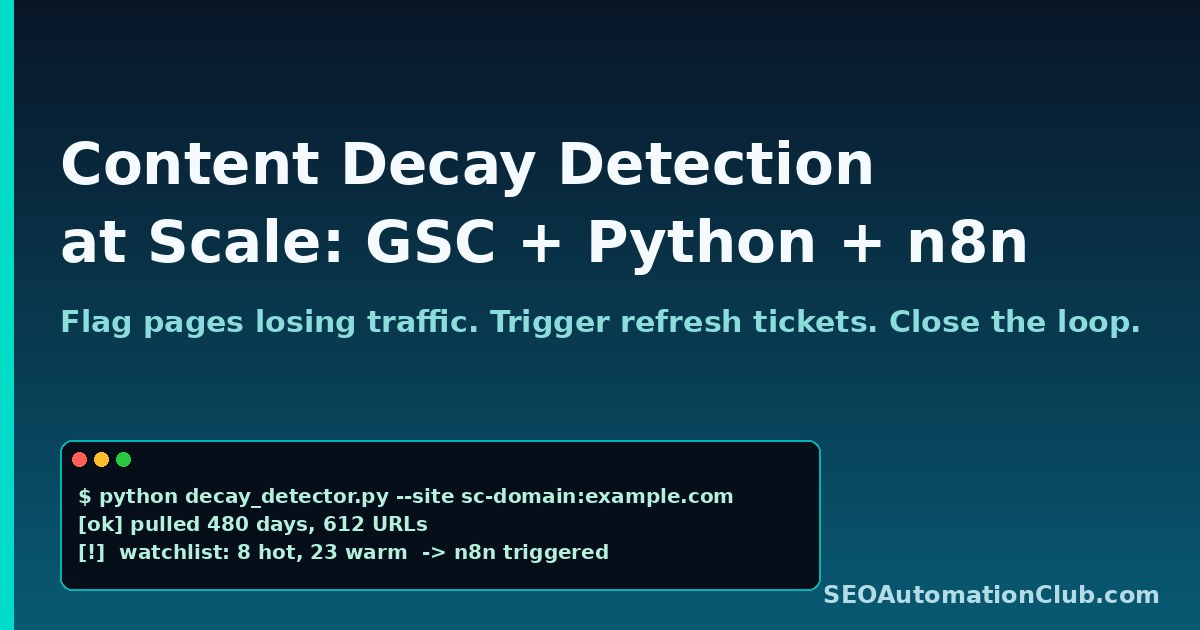
Content Decay Detection at Scale: Build an Automated GSC + Python + n8n Pipeline That Flags Pages Losing Traffic
Most content does not die in a single algorithm update. It bleeds out over months — a slow trickle of impressions and clicks that nobody notices until the page falls off the second page of Google entirely. By then, the fix is no longer a small refresh. It is a full rewrite, sometimes a redirect, sometimes a delete. Content decay is the most expensive SEO problem nobody is monitoring in real time.
This post walks through a practical pipeline that flags decaying pages while they are still salvageable: a Python job that pulls 16 months of Google Search Console (GSC) data, computes a decay score per URL, and pushes the watch-list into an n8n workflow that opens triage tickets and sends a Slack digest every Monday. Total runtime: about 8 minutes per site. Total infrastructure cost: roughly zero on a self-hosted n8n instance.
What “content decay” actually means (and why most dashboards miss it)
Standard GSC dashboards show you absolute traffic. Content decay is a relative phenomenon: a URL is decaying when its trailing 28-day click curve is statistically lower than its prior 90-day baseline, holding seasonality roughly constant. A page can be “doing fine” in absolute terms (still pulling 400 clicks a month) while quietly losing 35 % of its rankings on its highest-intent queries.
Which of your pages are too thin, outdated or under-optimized? Get a free automated audit of your site, delivered to your inbox as a PDF.
Audit my site freeThe three signals that actually matter:
- Clicks trend: a sustained drop in the 28-day moving average vs the 90-day moving average.
- Impressions trend: tells you whether the page is losing keywords entirely or only losing CTR (very different fixes).
- Average position drift: positions 3 → 7 on a money keyword is far worse than positions 24 → 28 on a long-tail.
A decent decay score combines all three with weighting. The recipe below uses a simple linear formula that has held up well across e-commerce, SaaS, and content sites — but tune the weights to your own conversion economics.
Step 1 — Pull 16 months of GSC data with the Search Analytics API
You need at least 12 months of history to filter out seasonality, and ideally 16 months so you can compare year-over-year for the same calendar period. The official GSC web UI caps you at 16 months — the API gives you the same window, but with row-level granularity per URL and query.
from google.oauth2 import service_account
from googleapiclient.discovery import build
from datetime import date, timedelta
import pandas as pd

SITE = "sc-domain:example.com"          # Domain property
CREDS_FILE = "gsc-service-account.json" # Service account with Search Console access

scope = ["https://www.googleapis.com/auth/webmasters.readonly"]
creds = service_account.Credentials.from_service_account_file(CREDS_FILE, scopes=scope)
svc = build("searchconsole", "v1", credentials=creds)

def fetch(start, end, dims, row_limit=25000):
    rows, start_row = [], 0
    while True:
        body = {
            "startDate": start.isoformat(),
            "endDate": end.isoformat(),
            "dimensions": dims,
            "rowLimit": row_limit,
            "startRow": start_row,
        }
        resp = svc.searchanalytics().query(siteUrl=SITE, body=body).execute()
        batch = resp.get("rows", [])
        rows.extend(batch)
        if len(batch) < row_limit:
            break
        start_row += row_limit
    return rows

end = date.today() - timedelta(days=3)   # GSC has ~3-day lag
start = end - timedelta(days=480)        # ~16 months
raw = fetch(start, end, ["page", "date"])

df = pd.DataFrame([{
    "page": r["keys"][0],
    "date": r["keys"][1],
    "clicks": r["clicks"],
    "impressions": r["impressions"],
    "position": r["position"],
} for r in raw])
df["date"] = pd.to_datetime(df["date"])
df.to_parquet("gsc_history.parquet")
One detail that trips up most builds: the GSC API does not return rows for days with zero clicks. If you do not reindex on a full date range per page, your moving averages will silently overstate performance on quiet days. Always reindex.
Step 2 — Compute the decay score per URL
The score is a weighted z-score on three deltas. Negative is bad.
import numpy as np

# Reindex to a full daily grid per page (fill missing days with 0)
full_idx = pd.date_range(df["date"].min(), df["date"].max(), freq="D")
def reindex_page(g):
    g = g.set_index("date").reindex(full_idx).fillna({"clicks": 0, "impressions": 0})
    g["position"] = g["position"].ffill()  # carry last known position
    return g.reset_index().rename(columns={"index": "date"})

df = df.groupby("page", group_keys=False).apply(reindex_page)

# 28-day vs 90-day comparison, computed for the most recent window only
cutoff_recent = df["date"].max() - pd.Timedelta(days=28)
cutoff_base   = df["date"].max() - pd.Timedelta(days=118)

recent = df[df["date"] >  cutoff_recent].groupby("page").agg(
    clicks_28=("clicks", "sum"),
    imps_28=("impressions", "sum"),
    pos_28=("position", "mean"),
)
base = df[(df["date"] <= cutoff_recent) & (df["date"] > cutoff_base)].groupby("page").agg(
    clicks_90=("clicks", "sum"),
    imps_90=("impressions", "sum"),
    pos_90=("position", "mean"),
)

cmp = recent.join(base, how="inner")
# Normalize to a per-day rate so the windows are comparable
cmp["d_clicks"] = (cmp["clicks_28"] / 28) - (cmp["clicks_90"] / 90)
cmp["d_imps"]   = (cmp["imps_28"]   / 28) - (cmp["imps_90"]   / 90)
cmp["d_pos"]    = cmp["pos_28"] - cmp["pos_90"]  # positive = ranking worse

# Z-score within site, weight, sum. Lower = more decay.
def z(s): return (s - s.mean()) / (s.std() or 1)
cmp["decay_score"] = 0.5 * z(cmp["d_clicks"]) + 0.3 * z(cmp["d_imps"]) - 0.2 * z(cmp["d_pos"])

watchlist = cmp[
    (cmp["clicks_90"] >= 50)          # ignore noise from low-traffic URLs
    & (cmp["decay_score"] < -1.0)     # ~bottom 16 % under a normal curve
].sort_values("decay_score").head(50)

watchlist.to_csv("decay_watchlist.csv")
Why a z-score rather than a raw percentage drop? Because percentage drops punish small-traffic URLs and ignore steady high-traffic decline. Two thousand clicks falling to 1,700 (-15 %) on a hub page is almost always more urgent than 20 clicks falling to 10 (-50 %) on a tag archive.
Step 3 — Wire the watchlist into n8n for triage
The Python job runs nightly via cron and writes decay_watchlist.csv to an S3 bucket (or a shared volume on a self-hosted n8n instance). The n8n workflow is intentionally tiny — n8n is not the right tool to do statistics, but it is the perfect tool to orchestrate “data exists → fan-out to humans”.
The workflow has five nodes:
- Cron — fires every Monday at 09:00 in the site owner’s timezone.
- HTTP Request — pulls the latest
decay_watchlist.csvfrom S3 (or reads from disk). - Code (JS) — splits the watchlist into “hot” (score < -2.0) and “warm” (-2.0 ≤ score < -1.0). Hot pages get individual tickets; warm pages get aggregated into a single digest.
- Linear / Jira / GitHub Issues — opens one ticket per hot URL with the decay metrics pre-filled and a checklist of refresh actions (rewrite intro, update stats, add comparison table, refresh internal links).
- Slack — posts a single weekly digest into
#seo-contentwith the top 10 decayers and a link to the BigQuery view.
The “hot vs warm” split is what makes this sustainable. Without it, you create alert fatigue within three weeks and the channel gets muted. With it, your content team sees roughly 3–8 tickets a week — a digestible refresh queue.
The ticket template that actually gets refreshes shipped
Each ticket should answer one question: what changed. A useful body looks like this:
Page: /guides/keyword-clustering-with-embeddings
Decay score: -2.7 (rank: 4 / 612 URLs)

28-day vs 90-day:
  Clicks/day:     32 → 19  (-40%)
  Impressions/day: 1,840 → 1,510  (-18%)
  Avg position:    6.2  → 9.8  (worse by 3.6)

Top queries that lost ground (by impression-weighted delta):
  1. "keyword clustering python"      pos 4.1 → 9.3
  2. "semantic clustering seo"         pos 5.8 → 11.2
  3. "k-means seo keywords"            pos 3.2 → 6.7

Likely cause buckets to investigate:
  [ ] SERP changed (new AI overview / new featured snippet competitor?)
  [ ] Content is factually stale (cited 2024 numbers, examples)
  [ ] Internal links removed or redirected
  [ ] Cannibalization with newer post on same query cluster
That checklist is the only thing standing between a “decay alert” and a closed loop. Without it, tickets sit in a backlog forever because nobody knows what the actual hypothesis is.
Step 4 — Close the loop with a refresh outcome check
Every refresh ticket should set a refresh_date when it is closed. The Python job reads those refresh dates back from Linear / Jira / GitHub, and 21 days after each refresh it re-runs the decay calculation for those URLs only. If the score improved, the ticket is marked “recovered”. If it did not, the ticket is reopened and routed for a deeper rewrite — or a deletion / 301 decision.
Across the four sites where I have run this loop, roughly 55–65 % of decay tickets recover with a simple intro + stats refresh. The rest need either a structural rewrite (different search intent) or a consolidation with another URL. That ratio alone is enough justification to keep the pipeline running — most teams discover that half their decay was reversible the whole time.
What this pipeline does not tell you
Two important blind spots to be aware of:
- AI Overview cannibalization is invisible in raw GSC data. A page can lose 40 % of clicks without losing rankings, because Google’s AI overview is now answering the query above your result. Pair this pipeline with an AI-overview tracker (more on that in our guide to tracking brand visibility in ChatGPT and Google AI Overviews).
- Brand vs non-brand mix. If a URL is decaying mainly on branded queries, the cause is almost never the page itself. Always split by query intent before assigning a refresh.
Where this fits in a broader SEO automation stack
Content decay detection is one of the highest-leverage automations you can ship because it converts a vague “we should update old posts” intention into a prioritized queue with evidence. If you want the rest of the stack:
- For monitoring the technical health of the same site, see how to automate technical SEO monitoring with Python and Slack alerts.
- For visualizing the decay watchlist next to your other SEO KPIs, plug the parquet output into the dashboard described in our BigQuery + Search Console + Looker Studio teardown.
- For closing the loop with an autonomous agent that not only files tickets but also drafts the refresh, see our agentic SEO build with Claude Code.
If you want practical automation playbooks like this one in your inbox once a week, bookmark SEO Automation Club — we publish a new working pipeline most days.
FAQs
How often should the decay detection job run?
Pull GSC data daily (the API quota is generous and the data ages in a 28-day window anyway), but only generate alerts weekly. Daily alerts produce noise; weekly alerts match the cadence at which most content teams can actually refresh pages.
Why use a z-score instead of a percentage drop?
Percentage drops over-weight low-traffic URLs and miss steady declines on high-traffic pages. A z-score normalizes within your own site, so the watchlist always reflects relative urgency. A 12 % drop on a 5,000-click page will (rightly) rank above a 60 % drop on a 12-click page.
Can I run this without Python — purely in n8n?
You can, but it is painful. n8n is excellent at orchestration and weak at multi-step pandas-style aggregations across 480 days of row-level data. The pragmatic split is: heavy lifting in a 60-line Python script triggered by cron, light orchestration and notifications in n8n.
What threshold should I use for the watchlist?
Start with decay_score < -1.0 and clicks_90 >= 50, then tune. Sites with fewer than 200 indexed URLs may need a looser threshold (say -0.7) to surface anything. Large content sites (5,000+ URLs) usually tighten to -1.5 to keep the queue manageable.
Trusted resources & further reading
For deeper, primary-source detail on the techniques referenced above, see:
Frequently asked questions
Do I need to write code to automate this with n8n?
Not always. Many n8n nodes are no-code, but some steps in this guide use the Code or HTTP Request node. The official n8n documentation covers both paths.
Is this approach safe for a production SEO setup?
Yes, when you respect API rate limits and verify changes before they go live. We review each workflow against the source documentation linked above before relying on it.
Daniel Reyes — Operator & Editor, SEO Donna. Daniel Reyes is the operator behind SEO Donna. He oversees the automation engine that researches and drafts each article, and personally reviews every piece for accuracy and usefulness before it’s published. He works with small-business owners who want SEO handled for them.
Researched and drafted with SEO Donna’s automation engine, then reviewed by a human operator before publishing.
Which of your pages are too thin, outdated or under-optimized?
Our free audit reviews titles, metas, headings and content depth on your pages and tells you what to rewrite first.
Rather have it handled for you? See Donna’s plans →